
Floating Windows
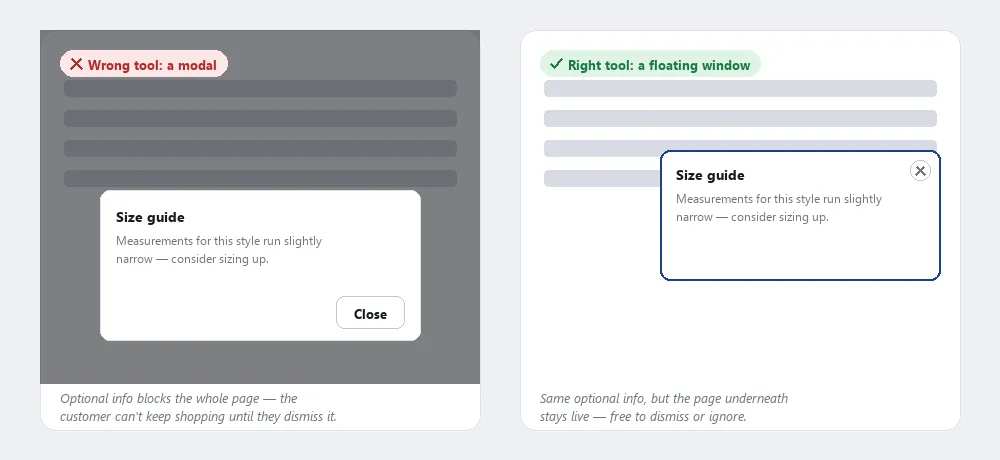 Optional, dismissible content doesn’t need a blocking modal — a floating window gets the same information across without stopping the customer from doing anything else.
Background
A floating window and a modal dialog are both non-navigating overlays, but they solve different problems. A modal interrupts — it blocks interaction with the rest of the page until the customer responds, appropriate for a decision that must be made before continuing. A floating window supplements — the main page stays fully live and interactive underneath it, appropriate for optional extra detail the customer can dismiss or ignore without consequence. Treat “does the customer have to respond before doing anything else?” as the deciding question between the two patterns.
Treat “does the customer have to respond before doing anything else?” as the deciding question between the two patterns.
Problem
Customers sometimes need extra information that isn’t on the current page, but pulling them to a separate page to see it breaks whatever they were doing — a process funnel they’re partway through, or a category page they were scanning.
Solution
Show the supplementary content in a floating window instead of a separate page. A floating window is a DHTML (Dynamic HTML) overlay (a <div> rendered on top of the page) that shows supplementary content without opening a new browser window and without navigating away. It replaces the older pattern of pop-up windows, which triggered enough consumer backlash from overuse — mostly for advertising — that browsers now ship pop-up blockers by default, defeating the pattern outright. A floating window keeps the main page’s context fully intact and doesn’t trigger a blocker, because no new window is actually created.
It replaces the older pattern of pop-up windows, which triggered enough consumer backlash from overuse — mostly for advertising — that browsers now ship pop-up blockers by default, defeating the pattern outright.
Choose how the window triggers
- From a link, when surfacing extra detail without navigating away. Open when a customer clicks a link intended to surface more detail — product details on a category page, a step’s context-sensitive help, or an answer from the frequently asked questions (FAQ) page — without leaving a process funnel to see it.
- Automatically, only for instant detail or a one-time survey. Appear on their own, typically on arrival or on rollover, most often for two purposes: showing detail instantly instead of waiting for a full page load (a lighter-weight alternative to a dedicated product detail page), or surveying a random sample of visitors. Automatic windows used for advertising are more contentious — whether they help or hurt a given site is something to test rather than assume, and even where they’re used, they should appear only once per visitor (use persistent sessions to suppress repeats).
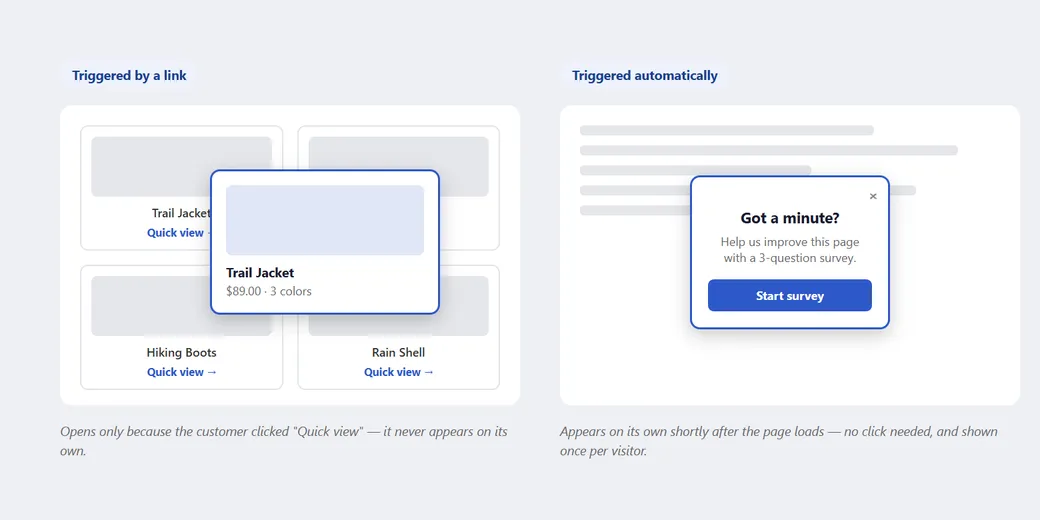 Same overlay mechanism either way — the only real difference is what makes it appear.
Minimize concurrent floating windows
Minimize the number of floating windows open at once — concurrent windows compound and overwhelm rather than help. Where a floating window needs to coexist with several others or be repositioned by the customer, direct manipulation (letting the customer drag it) helps them see what’s underneath.
Minimize the number of floating windows open at once — concurrent windows compound and overwhelm rather than help.
Related Concepts
Patterns
- Modal Dialogs
- Process Funnel
- Context-Sensitive Help
- Frequently Asked Questions
- Category Pages
- Clean Product Details
- Direct Manipulation
- Customer Sessions
- Form Design
Principles
Sources
The Design of Sites: Pattern Group H — Helping Customers Complete Tasks is this page’s source — its H6 Floating Windows pattern supplies the DHTML-overlay definition, the link-triggered-vs-automatic trigger distinction, and the guidance on minimizing concurrent floating windows above.